 InvoiceMate
Invoicing App for Sole Traders
Track your hours, send invoices from your phone and see exactly who owes you. No spreadsheets, no accounting jargon.
Free to join. No credit card required.
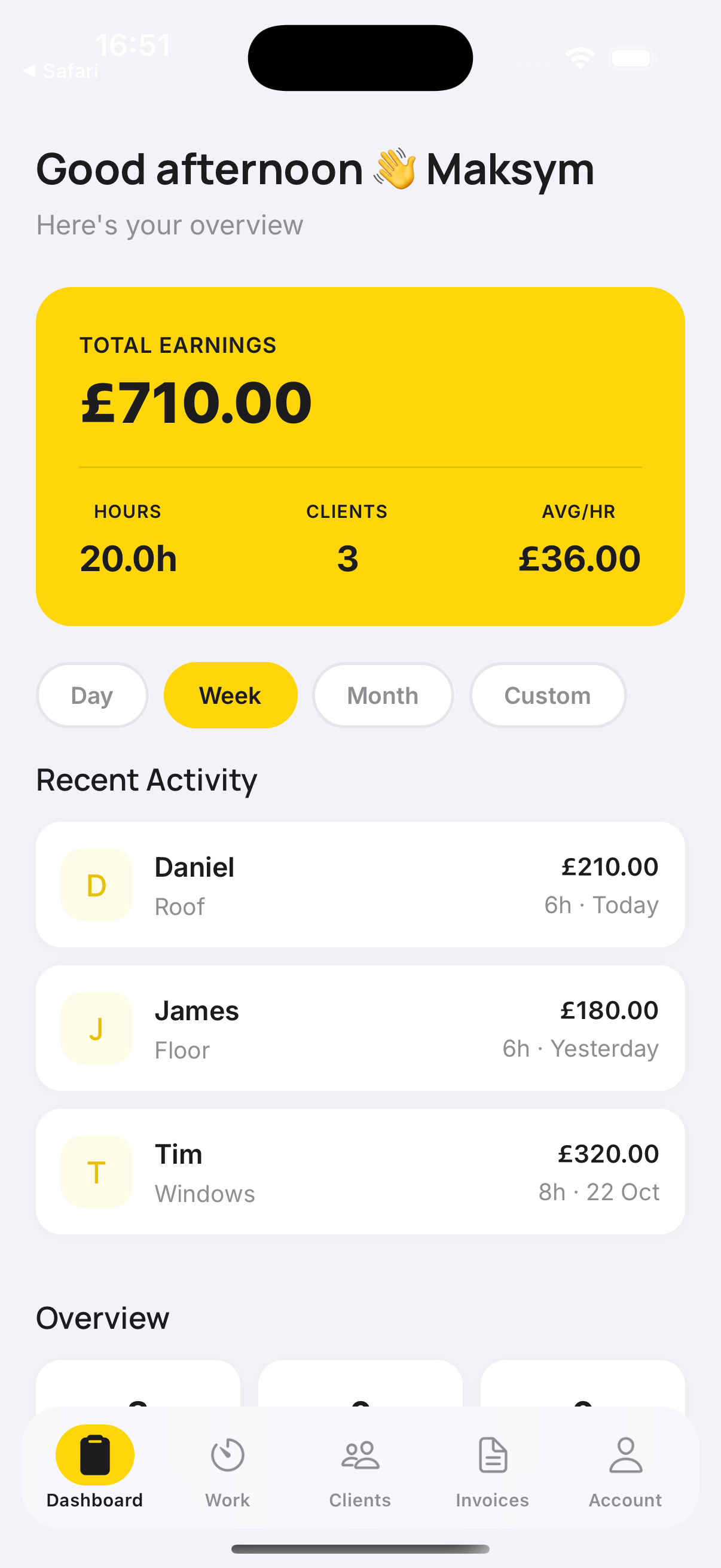

Job Done. Invoice
Sent. Money In.
01 The 9pm problem
You didn't start a business to do admin at 9pm. These are the four things that make invoicing slower than the job itself.
-
"I'll do the invoice tonight"
It's six o'clock, you've been on your feet since seven, and the invoice still has to be written. So it waits until after dinner, or until Friday.
-
Hours you can't prove
Hours live on a notepad, a phone note, or in your head. By invoice time they're rounded down, and you bill the day you remember rather than the day you worked.
-
Materials that never reach the bill
The screws, the sealant, the run to the merchants. The receipt stays in the van and the cost never lands on the client's invoice.
-
Re-typing what you already know
Client name, address, hourly rate — typed out again for every invoice, into a template that breaks the moment it becomes a PDF.
None of this is a discipline problem, it's a tools problem. An invoice app that already holds the client, the rate, the hours and the materials turns the invoice into a by-product of the job you just finished.
02 How it works
From finished job to sent invoice, in four taps
This invoice app keeps up with the job — the invoice is built from the work you already recorded.
Add the client
Their details and their hourly rate, saved once and reused.
Record the hours
Log time against the job as you go, or catch up at the end of the day.
Add the materials
Parts and supplies go on the same job as the labour.
Generate and send
The invoice is built from the job and sent from your phone.
03 What you get
What an invoice app should do for a one-person business
Free time tracking, and it stays free
Log the hours you worked on a job and keep them where you'll find them. Time tracking costs nothing, forever — even if you never subscribe.
Hours and materials on one invoice
Plumbers, electricians, builders, decorators: every job has labour and parts. Invoice Mate stores each client's hourly rate and adds the materials you used, so the total reflects the whole job instead of the bit you remembered.
Send it before you pack up
Generate the invoice from the recorded job and send it straight to the client from your phone. No laptop, no template, no transfer between devices.
04 Materials and labour
The cost of the materials is added to the invoice total alongside labour charges
Every job is hours plus parts. Invoice Mate keeps both, so the invoice you send is the invoice the job deserved.
| Item | Detail | Amount |
|---|---|---|
| Labour | Boiler service · 4.25 h × £45.00/hr | £191.25 |
| Materials | Copper elbow × 2, flue seal kit | £28.00 |
| Invoice total | £219.25 |
05 Invoicing app for sole traders
Built for sole traders, not for a finance department
Whether you're a plumber, electrician, builder, decorator or handyman — or any self-employed professional who invoices from the van — Invoice Mate does the three things you actually need: track hours, keep client details, and send invoices.
Need a paper one first? Download our free sole trader invoice template or self employed invoice template.
06 Why not a notebook
How Invoice Mate compares with a notebook, a spreadsheet and a full accounting suite
If you've been comparing invoicing software for small business, the difference here is scope. Invoice Mate does invoicing — hours, materials, clients, sending — and leaves payroll, VAT returns and company accounts to the tools built for them.
| What you need | Invoice Mate | Notebook, spreadsheet and template | Full accounting suite |
|---|---|---|---|
| Getting started | Download, add a client, start tracking | Buy a notebook, build a spreadsheet, find a template | Account setup and onboarding |
| Track hours | In-app, free forever | By hand | Usually included |
| Client hourly rates | Stored per client | Re-typed every invoice | Usually included |
| Materials on the invoice | Added to the job, totalled with labour | Remembered, or missed | Often a separate step |
| Sending the invoice | From your phone, in the app | Email or WhatsApp, usually from a laptop | From a desktop dashboard |
| Invoice history | Kept in the app | Across folders, emails and screenshots | Kept |
| Price | £0 to start · £9.99/month | Free — but it costs your evenings | Subscription priced for teams |
07 Invoicing app pricing
£0 to start. £9.99 a month when you need more.
Free
£0
- First 3 invoices
- Time tracking — free, forever
- Client database and hourly rates
- Invoice branding
- Billing — not needed
Premium
£9.99 /month
- Unlimited invoices
- Time tracking — free, forever
- Client database and hourly rates
- Invoice branding
- Billing via App Store or Google Play
No tiers to compare, no annual contract. Subscribe in the App Store or Google Play and manage it there.
08 Straight answers
Frequently asked questions
What does Invoice Mate cost?
Nothing to start. Your first three invoices are free and time tracking is free forever. When you need unlimited invoicing, Premium is £9.99 a month.
What exactly stays free?
Time tracking. You can record your hours for every job without paying a subscription — even if you never upgrade.
What happens when I've sent my three free invoices?
When you go to create a fourth invoice, the app offers Premium at £9.99 a month for unlimited invoicing. Your invoices, clients and tracked hours all stay in the app, and time tracking stays free either way.
Can I put materials on the same invoice as my labour?
Yes. Add the materials you used on the job and their cost is included in the invoice total alongside your hours.
Can I charge a different rate to different clients?
Yes. Each client in your database keeps their own hourly rate.
Do I need to be a sole trader to use it?
Invoice Mate is built for sole traders, self-employed professionals and tradespeople.
Does it work on iPhone and Android?
Invoice Mate is a mobile app for iOS and Android. Subscriptions are handled through the App Store or Google Play.
How do I cancel or change my subscription?
Through the App Store or Google Play, where the subscription was purchased.
09 Notes from the van
From the blog
Practical notes on invoicing, hours and getting paid — written for people who'd rather be on the job.
How to invoice as a sole trader
What a sole trader invoice needs on it, when to send it, and how to stop it sliding to Friday night.
What to record on the job so the invoice writes itself
Hours, rates and materials: the three things worth noting before you leave the drive.
Getting paid faster: five habits that cut the wait
Clear payment terms, complete lines and a prompt send — small habits that shorten the gap between job and payment.
10 No small print
Straightforward terms, and help when you need it
First 3 invoices free
Try Invoice Mate on real jobs before you pay anything.
Free time tracking, forever
Record hours for every job without a subscription, even if you never upgrade.
Cancel any time
Subscriptions are managed in the App Store or Google Play — cancel there whenever you like.
11 The free invoice app for sole traders
Your first three invoices are on us
Download Invoice Mate, add your first client, and send tonight's invoice before you leave the drive.